What is CGI?
CGI stands for Computer Generated Imagery. The term refers to all images and animations created entirely by a computer from a 3D model, without needing to exist physically or be photographed. CGI is therefore an umbrella term that covers the full discipline of digital image creation: modelling, texturing, lighting, animation and final rendering.
The concept originated in the film and TV industries of the 1970s: the first commercial applications of CGI were “Westworld” (1973) and “Tron” (1982) — still using very simple wireframe models. Today CGI is omnipresent in entertainment: Marvel films, Pixar animation, advertising spots and video games contain 60 to 100% CGI. In architecture, CGI became established in the 1990s and is now industry standard — more than 90% of Swiss new-build projects are visualized in CGI before construction.
Key distinction: CGI and rendering are often used interchangeably, but they are not the same. Rendering is the technical compute step that produces an image from a 3D model. CGI is the umbrella term for the entire discipline. Every rendering is CGI — but CGI also includes upstream steps such as modelling and texturing.
Application fields of CGI
CGI is today a cross-cutting technology for all visual industries. The main application fields differ in quality expectation, production volume and budget, but use the same core technologies.
- 01.Film and TV — VFX, full animated features (Pixar, DreamWorks), VFX for live action (Marvel, Star Wars). High budget, highest quality bar.
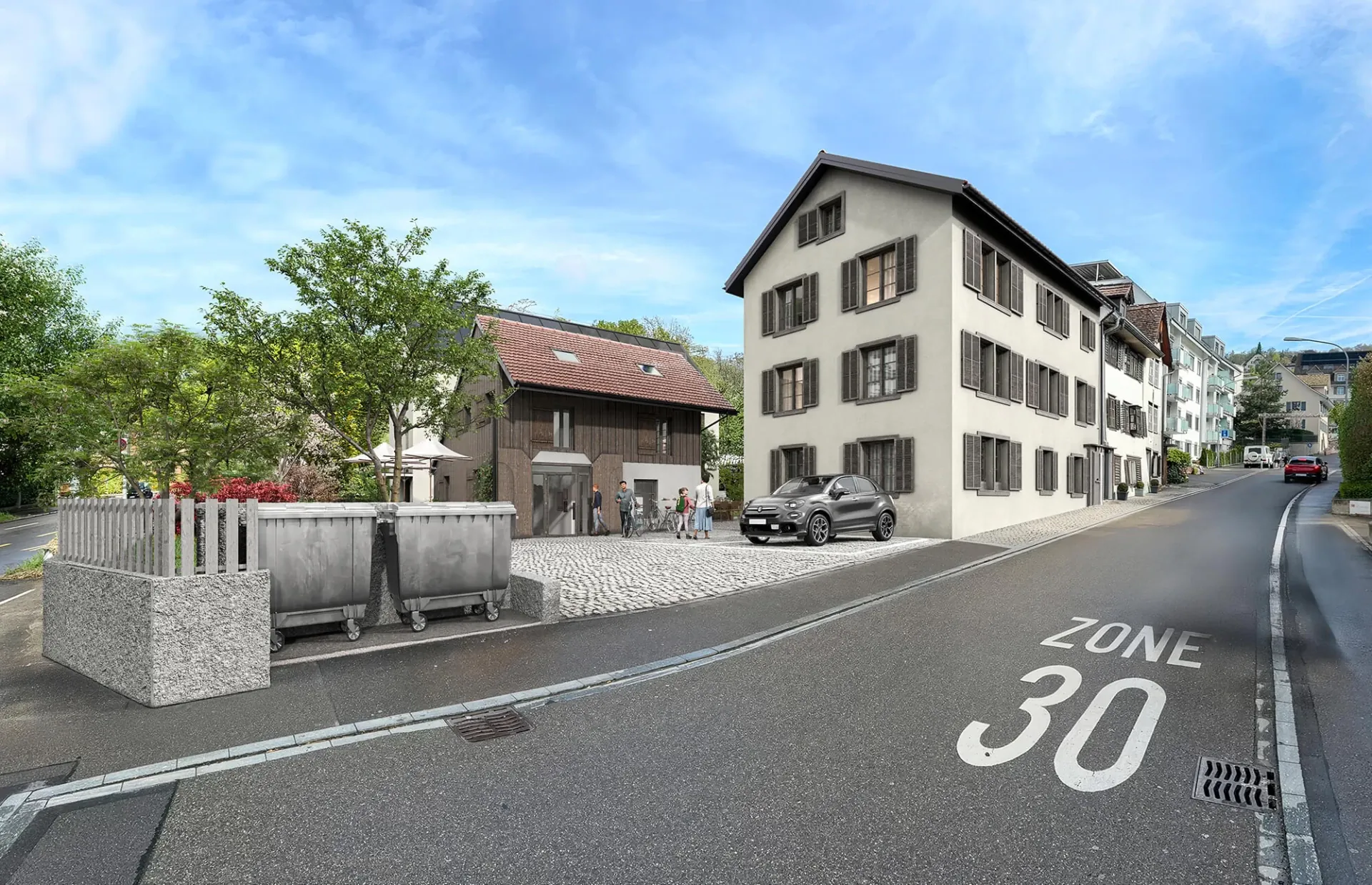
- 02.Architectural and real estate visualization — our studio’s core. CGI shows buildings, apartments and interiors photorealistically before construction. Used for competitions, permit applications, brochures and portals.
- 03.Product and advertising imagery — furniture catalogue, automotive advertising, fashion, cosmetics. CGI enables unlimited perspectives, material variants and scenes — without physical shoots.
- 04.Video games — real-time CGI with Unreal Engine, Unity. Driver of hardware development: modern GPU ray tracing comes from the games industry.
- 05.Product configurators — furniture, cars, kitchens in web-based configurators. Customers pick material and colour, the CGI updates live in the browser.
- 06.Scientific visualization — medicine (3D organ renderings), architectural history (reconstructions of lost buildings), museums and exhibitions.
The CGI production pipeline
A professional CGI production typically goes through five to six phases. In architectural visualization these phases are often shorter than in film, but follow the same pattern.
1. Modelling (3D Modeling)
Creating the 3D geometry. In architecture often converted from CAD data, for products from technical drawings or 3D scans. Software: 3ds Max, Blender, Maya, ArchiCAD, Revit.
2. Texturing and materials
Surfaces receive textures, PBR parameters and UV coordinates. Every material — wood, metal, glass — gets physically correct properties.
3. Lighting
Light setup with sun, HDRI sky, artificial fixtures. Lighting mood decisively shapes the character of the final image.
4. Animation (optional)
For moving CGI: camera flights, animated figures, time-of-day transitions. In architecture, typical for 3D animations and virtual tours.
5. Rendering and post-production
Final image compute (rendering) plus post-processing in Photoshop or After Effects — colour correction, staffage (people, plants), atmospheric details.
6. Delivery
The finished CGI is delivered in the right format: 4K JPG for print, optimised WebP for portals, 16:9 MP4 for animation.

Related terms in the glossary
Rendering
The technical compute step within the CGI pipeline — turns the 3D model into the finished image.
BIM (Building Information Modeling)
Digital building modelling methodology that often provides the input for architectural CGI.
Rendering vs. visualization
Comparison between compute step and end result — both components of the CGI discipline.
All glossary entries
Back to the full overview of technical terms around 3D visualization.